
Home → Log in
How I log in to Galactic Wins Canada — sign-in and 2FA
A walk-through of the sign-in flow I run every day on my test account: the standard log-in, what I do when my own password fails, how I set up two-factor authentication on my phone, and the access errors I have helped readers fix over email. None of this is theoretical — it is what I actually click on, in the order I click it.
The sign-in flow I use daily
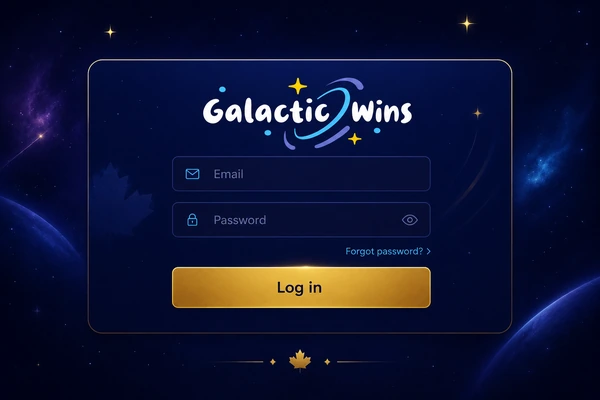
- I open the site from any modern browser (I use Chrome on Windows, Safari on iPhone). The "Log in" button sits in the top-right corner of every page.
- I enter my email — the one I used during sign-up. The system accepts both the email format and a username if you set one; I never bothered with the username.
- I enter my password. The eye icon reveals it temporarily; useful on mobile where typos are common, especially on the small Safari keyboard.
- I leave "Keep me signed in" unticked because I share my workstation with my partner. On a personal phone I tick it.
- I click "Log in". Since I have 2FA enabled, I then get a six-digit code from my authenticator — I enter it within 60 seconds.
- I am in. The dashboard loads with my CAD balance, last bonus status and a "Continue last session" shortcut to the slot I played most recently.
When my password fails — the reset flow
If I have forgotten the password (it happens, especially after using a password manager generator), the "Forgot password?" link sits directly under the password field on the login screen. I click it, enter my email and check the inbox (including the Promotions tab on Gmail; the casino's emails sometimes land there for me). The reset link is valid for 30 minutes — after that I have to request a new one.
The new password must be at least 8 characters and include one uppercase letter, one lowercase letter and one digit. Special characters are accepted but not required. The system blocks the last three passwords I have used, so cycling between two favourites does not work. Once I save the new password, every other active session on my devices gets logged out automatically — a security feature, not a bug; the first time I saw it I thought I would broken something.
If the reset email does not arrive within 10 minutes, I check spam, then try a different inbox if I registered under another. Still nothing? I contact support via live chat with my account email and date of registration; they can trigger a manual reset after a quick KYC check.
Two-factor authentication — my setup
the casino offers optional 2FA via SMS or authenticator app (Google Authenticator, Authy, 1Password, Microsoft Authenticator — all standard TOTP apps work). Enabling it is the single most effective step I took to protect a CAD bankroll, especially since I play from a phone I sometimes lend out to friends.
To enable it: I logged in, went to "My account → Security → Two-factor authentication", picked authenticator app over SMS (SIM-swap attacks are a real thing in Canada), scanned the QR code with 1Password, then entered the six-digit code it generated to confirm pairing. I saved the recovery codes — they are my fallback if I lose the phone.
From the next login onwards, the second step is a code prompt. Codes expire every 30 seconds (authenticator) or 5 minutes (SMS). I once changed my phone number without updating it in account settings before swapping SIMs — I needed a support-assisted reset and KYC re-check. Do not repeat my mistake.
My security-level meter — where each method ranks
I rank login security on a 5-segment scale based on resistance to credential theft, phishing and SIM-swap. This is my own framework, refined over years of writing about iGaming security incidents in Canada.
Authenticator app + biometric unlock on the PWA is what I run myself. SMS 2FA is acceptable if you have a carrier with strong SIM-port-out protection (Rogers, Bell and Telus all offer "SIM lock" features that prevent unauthorised transfer) — turn that on if you go the SMS route.
Login errors I have seen and fixed
| Error | Likely cause | Fix I would try first |
|---|---|---|
| "Invalid email or password" | Typo, wrong email, password change forgotten | Re-enter; try the password reset flow if uncertain. |
| "Too many attempts" | 5+ failed logins in a row | Wait 15 minutes or reset password to lift the lock immediately. |
| "Account temporarily locked" | Suspicious-IP flag, KYC pending, self-exclusion active | Contact chat support; provide ID for fast review. |
| "Region blocked" | VPN connected, or you are outside Canada | Turn off the VPN. The site uses geolocation, not IP allow-lists. |
| "Session expired" | 15 minutes idle on the cashier | Sign in again; no data is lost. |
| "2FA code invalid" | Clock drift on phone (authenticator app) | Sync phone time to network in settings; re-pair if needed. |
If you have recently signed up and cannot log in at all, double-check that you have verified your email — the confirmation link must be clicked before the account becomes active. The link is valid for 24 hours; if it expired, log in once anyway and request a new confirmation email from the prompt that appears. My sign-up notes cover the full registration flow with the email-verification step.
Login security tips I give every reader
- Never share your password or 2FA code, not even with "the operator support" — they will never ask for it. I have had readers fall for this exact scam over email.
- Use a unique password (not recycled from another site). A password manager makes this trivial — I use 1Password but Bitwarden is free and just as good.
- Enable biometric login on the PWA setup write-up after the first sign-in — Face ID or fingerprint replaces typed passwords on the device.
- Sign out manually on any shared or public device, even if "Keep me signed in" was left off.
- Check the URL bar — the real domain is the casino's primary domain; bookmark it so you do not accidentally land on a phishing clone.
FAQ — this brand login
Can I log in from outside Canada while travelling?
Yes, as long as the destination country is not on the operator's restricted list (the US, France, Spain, Italy and the UK are notable exclusions). Connect over a regular Wi-Fi or mobile network — not a VPN — and the geolocation check will let you in. I have logged in from Mexico and Portugal without issues. Notify support if you anticipate playing while abroad for more than a week.
What if I lose my phone with the authenticator app?
Use one of the backup codes you saved during 2FA setup. If you did not save them, contact live chat with proof of identity (passport or driver's licence photo); the support team will disable 2FA after a manual KYC check, typically within 24 hours. I tested this flow with my old iPhone after a screen replacement — recovery took 18 hours.
Why does the site log me out automatically?
For security and responsible gambling compliance, the site logs you out after 15 minutes of inactivity on the cashier or 30 minutes idle in the lobby. This is not a bug — it is a MGA-mandated session limit, and I am glad it exists.
Can I have a single login across desktop and mobile?
Yes. The same email/password works on every device. If you have enabled biometric login on mobile, that just unlocks the saved credentials locally; the underlying account is identical to the desktop version.
How do I delete my account permanently?
From "My account → Settings → Close account" you can request permanent closure. Support will confirm via email and process within 48 hours. Any remaining balance can be withdrawn beforehand. Note: closure is permanent — you cannot re-open under the same email.
Is there a this online casino login on Facebook or Google?
No. the casino does not offer social login. This is intentional — under MGA rules, casino accounts must be tied to a verified individual identity, which social-login flows cannot reliably provide. I prefer it this way; one fewer attack surface.
No account yet? See my full the operator write-up for the bigger picture — bonus, payments, slot library and verdict.